DoorMaster User Guide
The My Setup > Tooling page in the Catalog/Drawing Properties is used to specify the common tooling requirements for the supported machine steps in the Catalog/Drawing Properties.
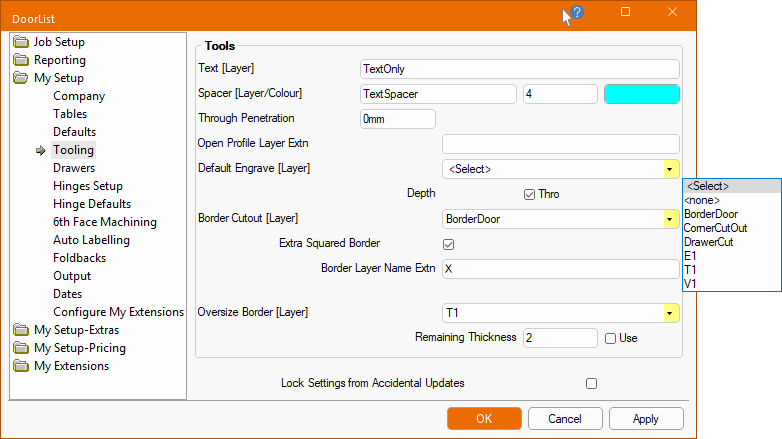
The DXF on each part can be displayed (by not associating a toolpath to the layer in EzyNest) and is by default set as 'TextOnly'.
It allows you to set the default Layer names and associated DXF Layer Colour which is represented by a number e.g. 0 = Black, 4 = Cyan.

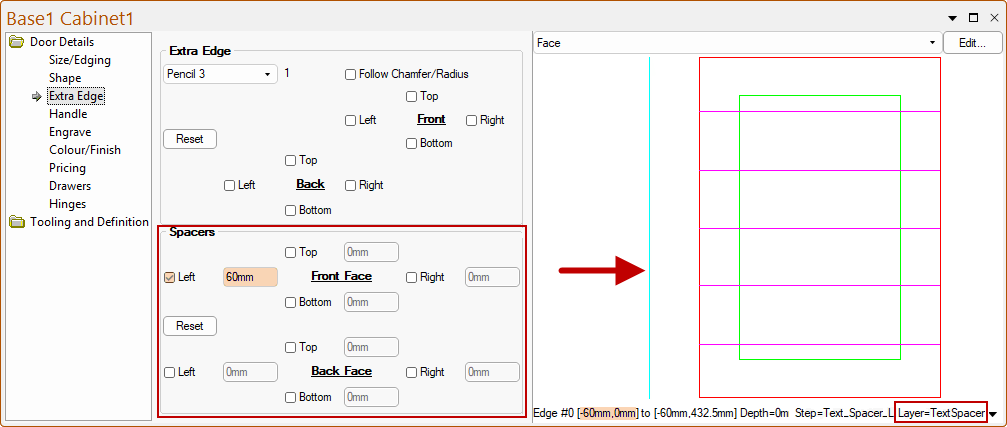
Spacers are used to push doors apart on the nest and ensures a door in not nested too close to another - click to view example.
Spacer options default options can be set on My Setup-Extras > Extra Edge page and, if required, overridden on the Door Details > Extra Edge page.
Spacers are parallel to the edge of the part, instead of being perpendicular. As EzyNest is a true shape nesting product, the parallel spacers will stop small parts being nested next to the door (whereas a perpendicular one would allow this).
The DXF layer names required by some nesting/machining systems (e.g. Biesseworks®, EzyNest) are more than just a name. They are a string that defines the required machining strategy, containing information such as the tool to use, whether to route or drill, the depth etc.
The color used in the DXF is used for visibility within DoorMaster, not by the machining software. When DXF files are created in the design applications, different types of machining operations are separated onto different layers in the DXF files. The geometry on all the Layers in a file represents a single part, and all the machining such as drilling, milling and cutting, that is to be performed on that part.
This option forces all of the 'Through' tools to run to a depth of the material thickness PLUS this amount.
Assuming that the tool will run to the depth of the material thickness of the part, the specified Penetration value will be added to the depth of the tool to be run.
This option only controls the penetration of a Through machine path. Routing and drilling are controlled separately.
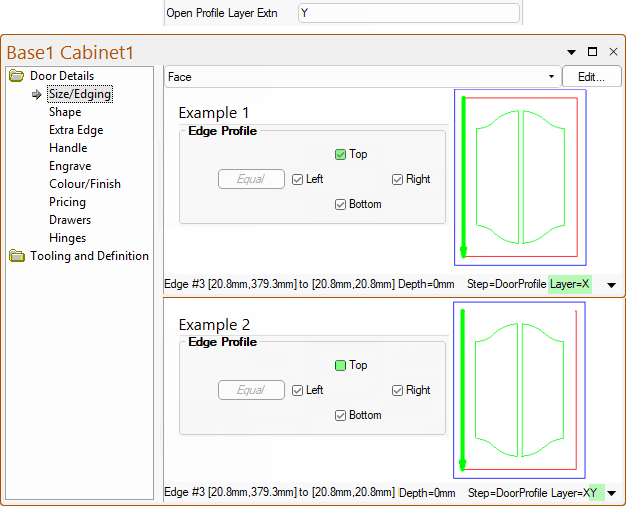
This text is appended to the Edge Profile layer name when the Edge Profile does not extend around the entire door.
Example of Edge Profile not extending around the entire door and the use of the Layer Extention.
In this example, the Open Profile Layer Extn is set to Y. The preview pane shows Layer details for...
The Door Details > Engrave page at door level provides access to the cutout feature which allows customers to add lettering and decorative cutouts to a door, by machining existing DXF files of outlines.
The My Setup > Tooling page allows you to set the default Layer name e.g. EngraveCutout.
My Setup > Tables page allows you to create a custom tool which specifies the Depth of an engraving (e.g. 4mm) and DXF Layer Colour.
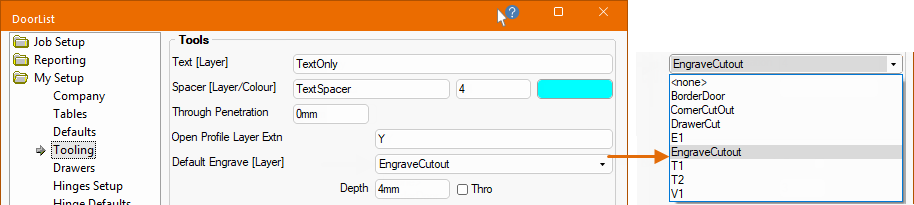
If the Thro option is enabled then the depth will automatically adjust with the thickness of the material.
If the Thro option is unticked then the depth can be set to override the Tool Layer Depth Compensation (compare with above which shows 4mm).
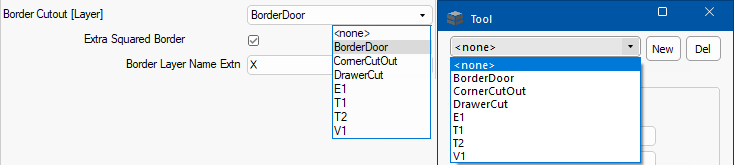
As well as the tooling for creating the edge profile and door profile itself, the door has to be cut out from the material. The Tool[Layer] name chosen here will be used for this purpose.
The drop list of available Tools[Layer] names are taken from the Tools [Layer Names] lookup table - see My Setup > Tables.
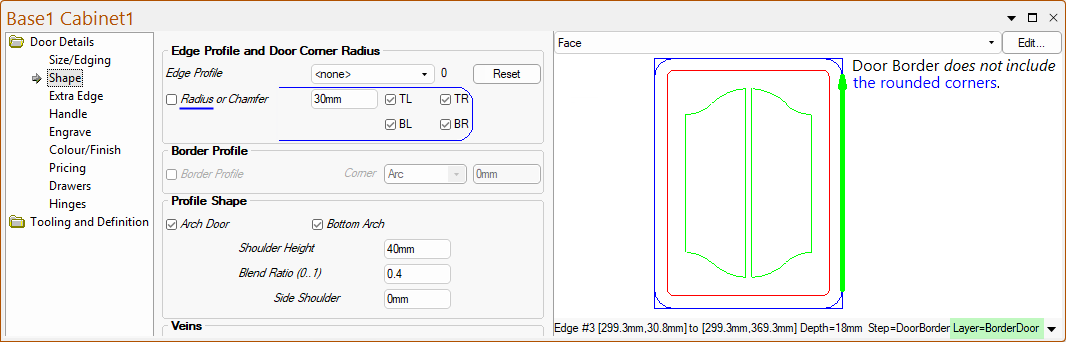
This layer is an extra door border toolpath which follows exactly the same path as the Door Border but does not include the rounded corners.
It is designed to be used as a first cut to help eliminate the small segments of board between the doors, which can pop out and interfere with the tools while cutting. The default for this is unticked/OFF but if this is turned ON then, if the layer name is defined, both the Border Cutout [Layer] and Extra Squared Border are used.
Example of BorderDoor Layer not including the rounded corners.
The extension, e.g. X, is appended to the end of the existing Door Border layer name to form the new one i.e. Layer=BorderDoorX.
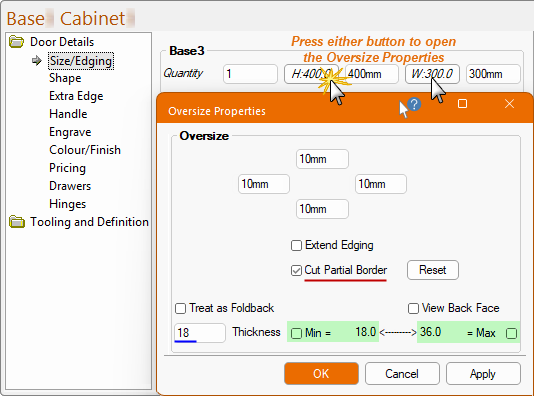
The Oversize Border [Layer] is used to specify a secondary border around the actual door size. This allows for small parts, that may otherwise have moved on the machine, to be oversized with the secondary border not cutting through the material in order to hold it in place. The part can then be trimmed up afterwards.
The Use Remaining Thickness checkbox is the default setting for the Cut Partial Border option and used by the Reset button in the doors $Oversize Properties:property$$ - see image below. If you want to specify that this is the default setting for ALL doors, then tick/enabled the Use checkbox.
This is an alternative to using bridges when specifying the strategy in $$EzyNest$$.
The $$drop list$$ of available Tools[Layer] names are taken from the Tools [Layer Names] lookup table - see My Setup > Tables.
To achieve this...
This is a special 'Oversize border', not the actual border. It is only used when a door is both Oversized and Cut Partial Border is checked on...
It adds a toolpath on the original (non-oversized) border position using the specified layer name and depth.
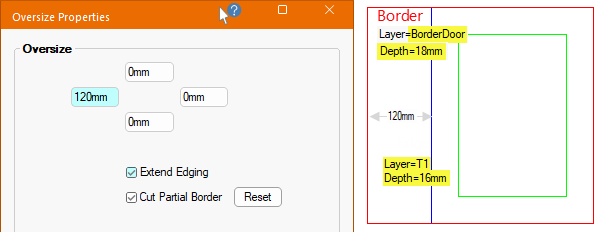
Click to view tooling details in the Preview Pane