
DoorMaster User Guide
This is where you set up your company details and other personalised setup defaults. All users should set this up in the Catalog Properties and can be overridden in the Drawing Properties if required. DoorMaster standard reports will access the information entered.
All new users should set up company details and other setup Catalog defaults accessed either from the Library Catalog Manager or from the File menu i.e. Prepare > Catalog Properties.
Images used in these topics will be in the light grey of Drawing Properties, even though Catalog Properties are displayed with a distinguishing pink background, as the default options discussed for each page under the relevant category are the same.
If you cannot see this category is the Drawing Properties, then it may have been turned off in the Catalog on the My Setup > Lock page.
To access each category, such as My Setup, simply click on the heading. This will present the relevant pages which provide access to various areas of your company setup.
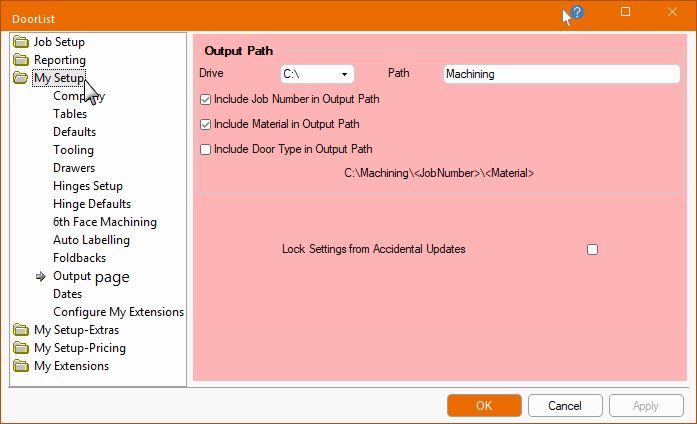
The options on each of these pages will be discussed and explained.
Most pages in both the Drawing and Catalog properties have a Lock Settings from Accidental Updates checkbox, as shown above.
If the Lock option is enabled/ticked, then the relevant areas/options will be greyed out (made unavailable).
If you disable/untick the Lock option, so as to edit tables etc, then it may be wise to enable/tick the Lock option after completion, to avoid accidental changes.