DoorMaster User Guide
The Tooling and Definition > Glass page is only made available if the Tool Layer 6 used for Through Glass Cut option is enabled/ticked on the Tools and Offsets page, as per the note below. The Tool Layer 6 Layer tool options are repeated here (from the Tools and Offsets page).
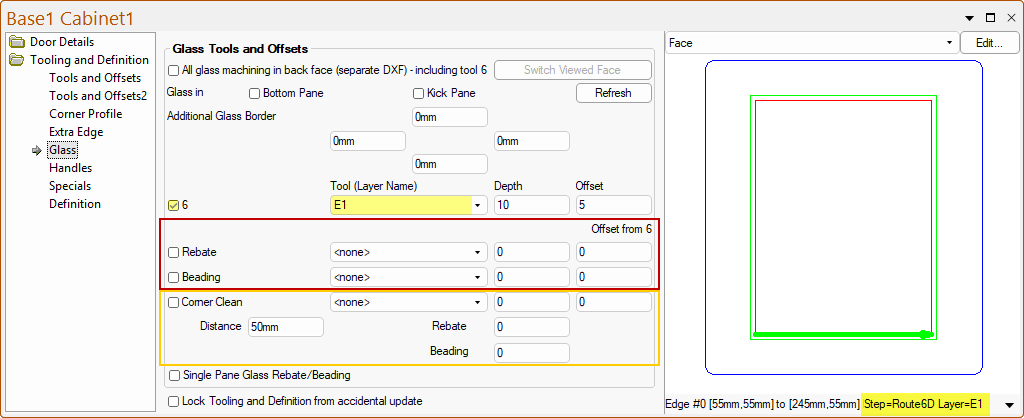
Toolpaths labelled Rebate and Beading are provided (although they do not have to be used for these purposes). The Offsets for these toolpaths are based on the Layer 6 offset towards the outside of the door (the opposite way to the other tool offsets) and their toolpaths show in Magenta on the preview.
The Corner Clean settings are applied to the Rebate, Beading and Layer 6 toolpaths. There are also three Depth settings for the glass corner cleanout, one each for the cut through, Rebate and Beading .
The ][Tool Layer 6 used for Through Glass Cut option is enabled/ticked on the Tooling and Definition > Tools and Offsets page.

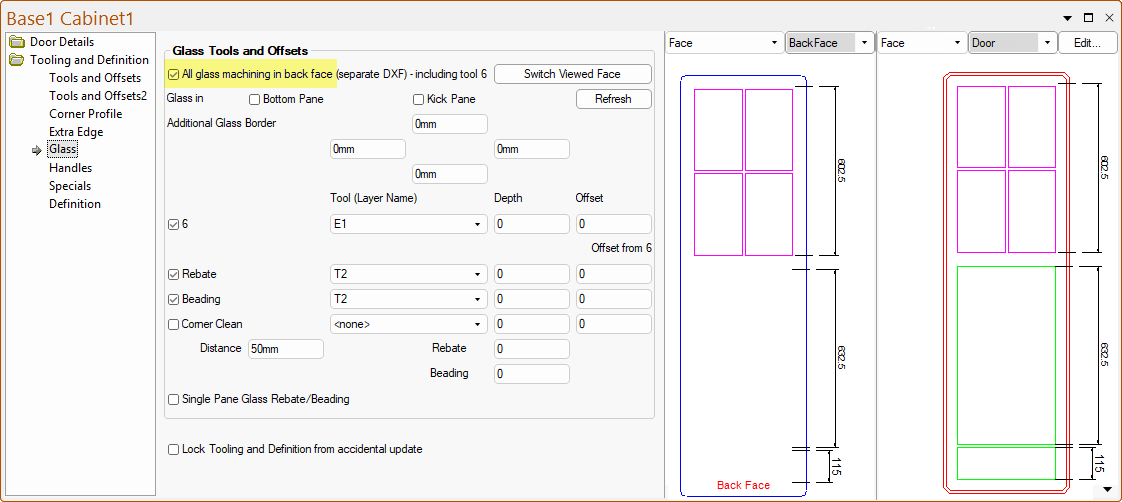
The All Glass machining in back face (separate DXF) option creates a second DXF for the door which is placed in a parallel folder (using a folder name that is the same as the original output folder plus “-Opp”).This is the machining for the Back Face of the door, which include the Tool Path #6 layer.
Without this option being checked, all the machining will be applied to the Front Face of the door.
Rebate and Beading toolpaths show in Magenta on the preview.
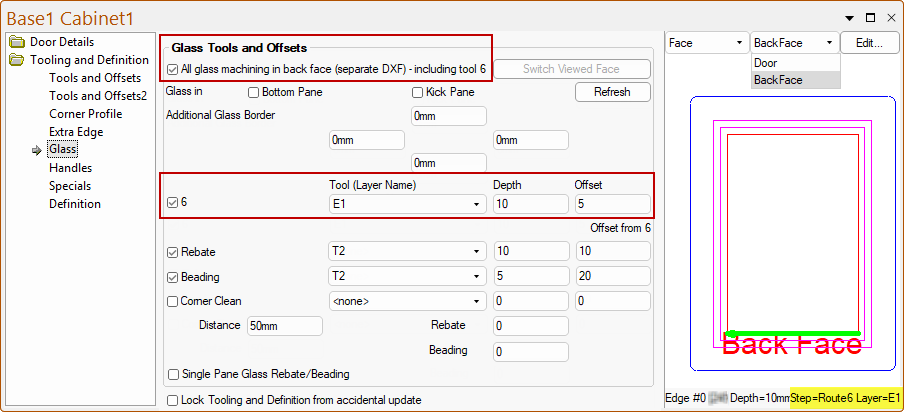
This DXF includes a bounding border, which is the outside of the door. The layer name of this is the same as that chosen for the Door Cutout layer name plus “-Opp”.
The text “Back Face” is also included to help identify it (this text can be ignored when machined). When the separate DXF option is used and the Glass page displayed, the preview pane will show the back face machining.
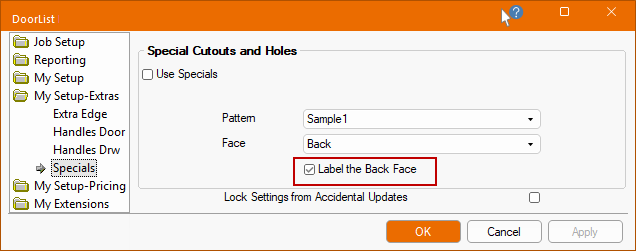
The Label the Back Face on the My Setup-Extras > Specials page of the Drawing Properties must be enabled/ticked if you want this text to appear.
The Glass in Bottom Pane option provides the ability to make the bottom pane on the pantry style doors to be cutout with the same glass options as the top pane.
Example of Glass in Bottom Pane
If the 'No Glass Cutout in Bottom Pane' the Tool Layer 6 routing for the Bottom Pane, if used, will be suppressed and therefore only occurring in the upper panes.
The Glass page has Tool Layer 6 Layer tool options repeated here (from the Tools and Offsets page) and also allows for toolpaths labelled ‘Rebate’ and ‘Beading’ (although they do not have to be used for these purposes). The offsets for these toolpaths are based on the Layer 6 offset towards the outside of the door (the opposite way to the other tool offsets) and their toolpaths show in Magenta on the preview.
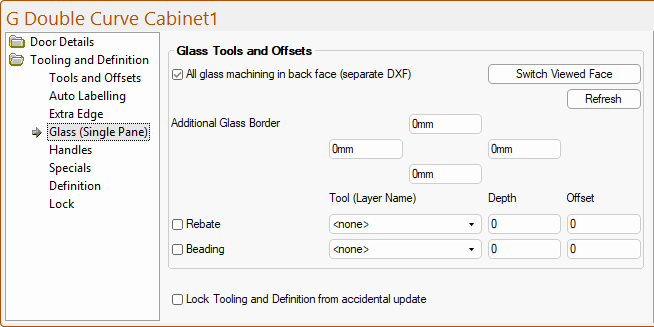
The Tooling and Definition > Glass (Single Pane) page at door level is only made available if the Type is Door on the Door Details > Drawers page.