DoorMaster User Guide
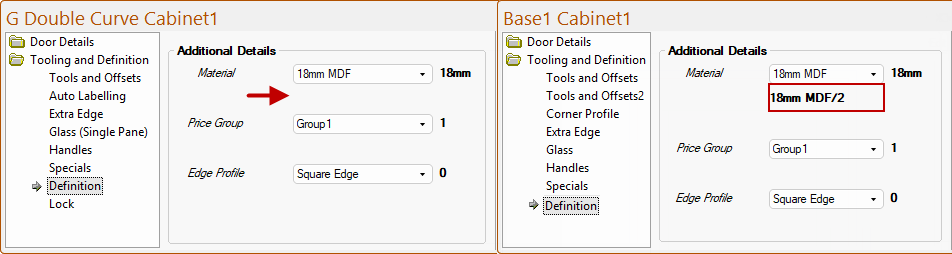
The Tooling and Definition > Definition page at door level allows you to apply/amend Additional Details such as Material, Price Group and Edge Profile.
If you cannot see this category, then it may have been turned off in the Catalog on the My Setup > Lock page.
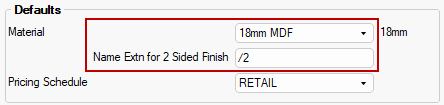
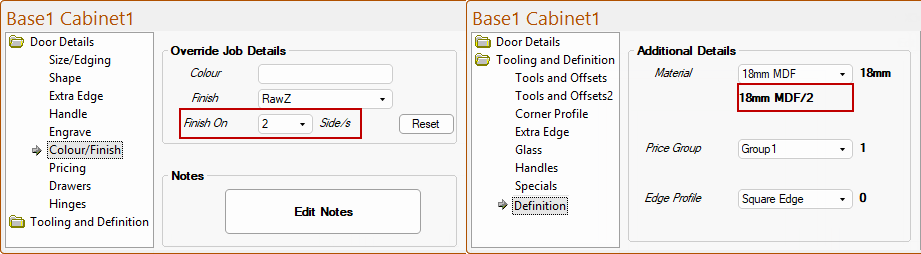
For each door the material set on the My Setup > Defaults page of the Drawing Properties (shown below) is repeated on the Definition page, but only if different to the specified material name and the whole drawing/individual cabinet has a 2 sided finish on the Door Details > Colour/Finish page.
This is also the material name plus the appended text (if defined) that is exported as the material name for use in EzyNest.
The supplied catalog has only the SubType Group1 and the finishing prices are therefore not linked to Groups - see topic on Library Catalog Manager - Custom Range of Doors.