DoorMaster User Guide
The Door Details > Shape page at door level allows you make changes to the profile of required door.
This discussion only covers the options for Speciality Doors e.g. Sunburst and Pilaster (follow link for Size/Edging page)
For Base Doors, see the topic on Shape page : Base Doors and for Custom Doors e.g. G Double Curve, see the topic on G Doors : Glass Inserts.
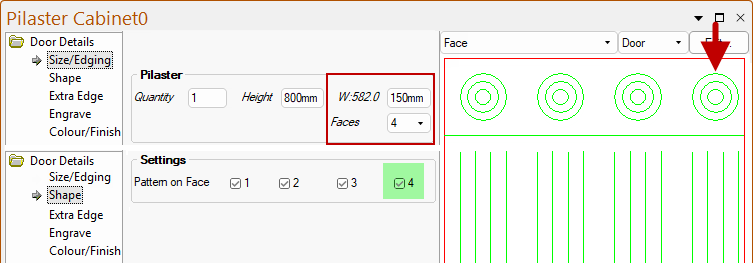
On the Door Details > Shape page, the Settings group options allow the pilaster to have up to four faces.
In this example, we see the selection of the Roses options including dividing lines and four Flutes selected.
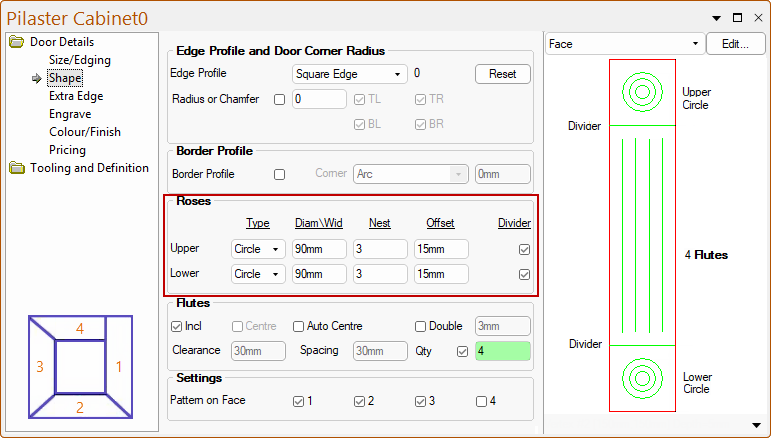
Up to four faces are available. The 4th face is cut the thickness of the material, shorter to allow a flush finish
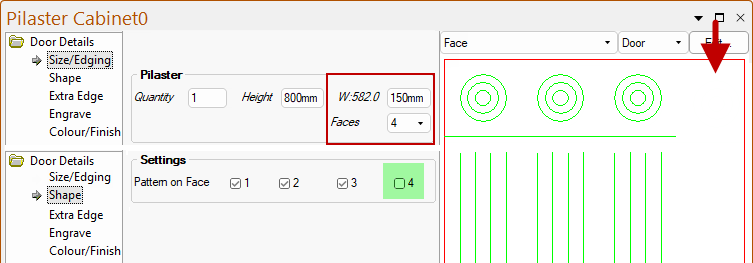
If 4 Faces are selected from the drop list on the Size/Edging page, shown below, then...

The W:582.0 is the total width to be cut, whereas the 150mm is the width of each face.
The 4th face is cut the thickness of the material, shorter to allow a flush finish.
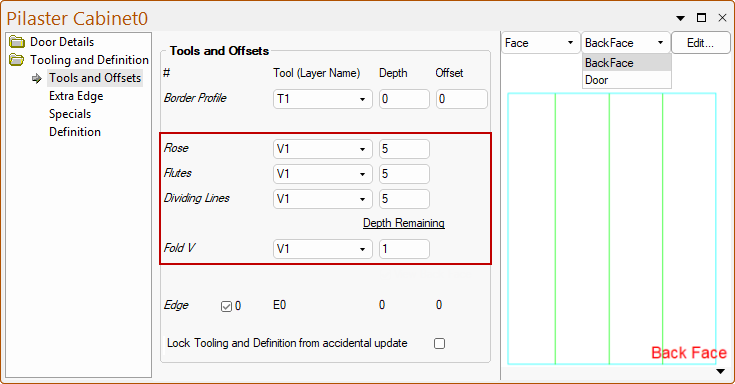
The tooling is similar to the other items with the depth of the ‘V’ folding cuts (machined in the back face) being defined as the remaining depth i.e. actual depth is material thickness minus this.

The folds are normally only achieved if the door is wrapped rather than painted.
Configured correctly, the Pilaster can also be made into individual Roses.
With the Sunburst Door, the little segments of the sun shape are just one machine step (per tool – the inner one is a copy on another layer of course). This makes neat use of the machine step sequences.
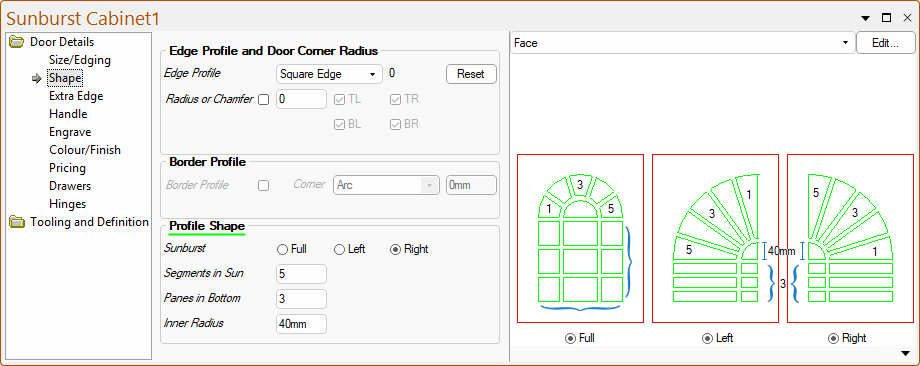
Sunburst – Select either Full, Left or Right.
Segments in Sun – Number of segments e.g. as illustrated there are five (5) segments.
Panes in Bottom – Number of panes on lower end of door, e.g. as illustrated there are three (3) panes down, and there are always three (3) across.
Inner Radius – Radius of inner segment.
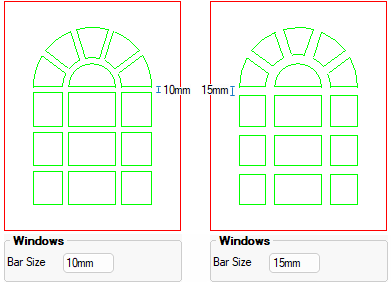
The window Bar Size is set on the Door Details > Size/Edging page.