DoorMaster User Guide
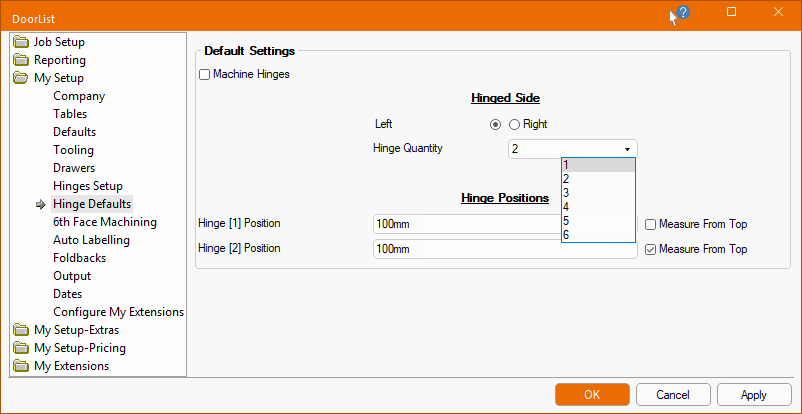
The My Setup > Hinge Defaults page in the Catalog/Drawing Properties allows you to specify whether hinge holes are present or not in the machining of doors.
If hinges are required, the default vertical positioning and quantity (up to 6) of hinges can be customised for the current job.
Defaults can be overridden at door level on the Door Details > Hinges page - click to view Preview Pane.
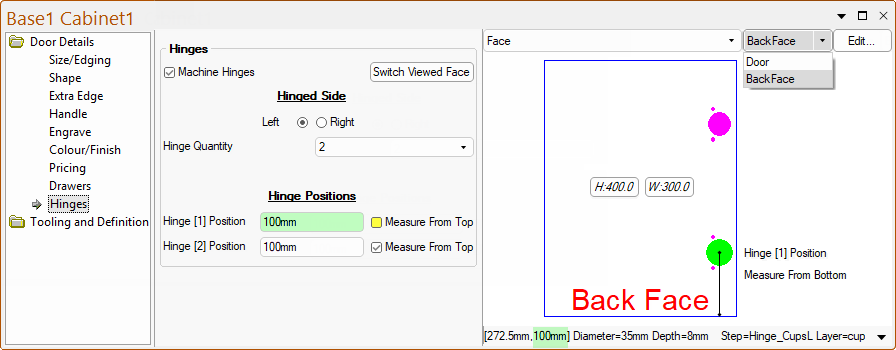
The Use Machine Hinges checkbox allows you to turn on/off this option to specify whether hinge holes are present or not in the machining of doors.
There are up to six hinge positions that can be present. The options made available are dependent on the Hinge Quantity.
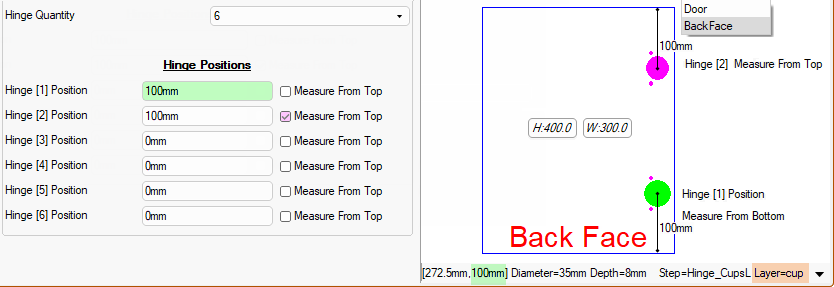
The distance of the upper and lower hinges can be set from either...
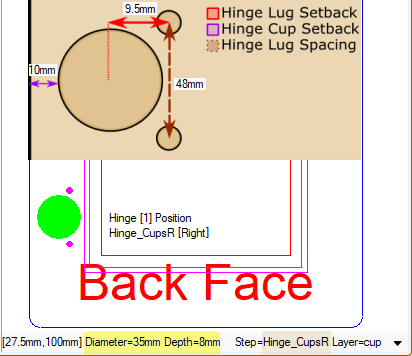
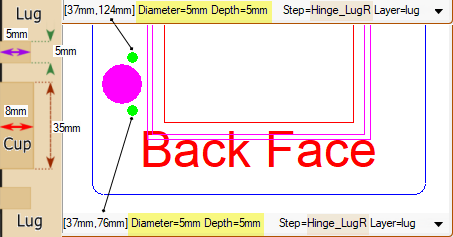
The My Setup > Hinges Setup page in the Catalog/Drawing Properties allows you to set the setback, spacing, depth, diameter and layer names.
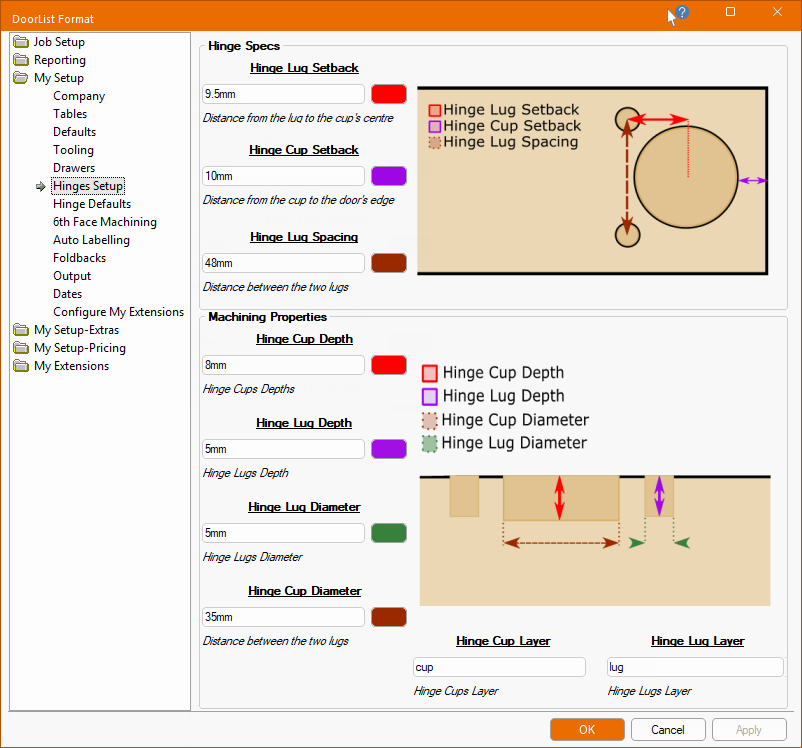
The images below compares the default Machining Properties shown above with the Preview Pane...
The images below compares the default Machining Properties with the Preview Pane...
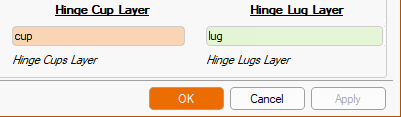
In the above two images above, you will notice that the preview pane states Layer=lug and Layer=cup.
These layer names are set here.