DoorMaster User Guide
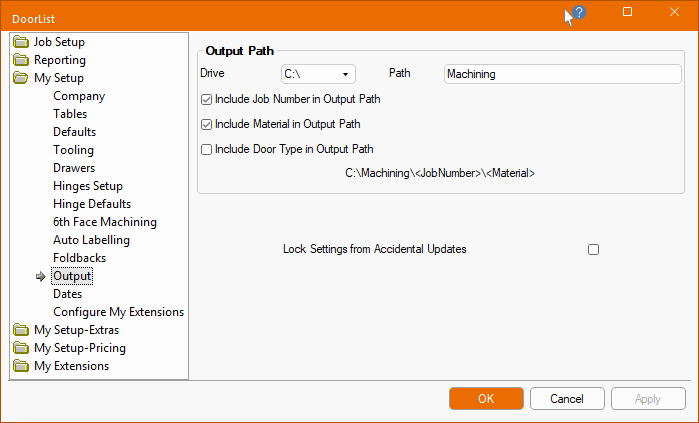
The Setup > Output page allows you to designate the output path and naming conventions in the Catalog/Drawing Properties.
The Output Path is the location the machining data i.e. the DXT files, are to be output to, ready for nesting and toolpathing in EzyNest.
The path consists of two parts, the Drive letter (e.g. c:\) and the Path within that drive.
The path will can be extended, by using the relevant checkboxes, to Include the...
A sample of selected path will be displayed.
Machining Path : If no job number is specified, then machining export will fail. If it is blank then it requires to be substituted with "Job Number" e.g. C:\Machining\Job Number\18mm MDF
Any ‘illegal’ Windows file/folder name characters will be stripped out and replaced by a ‘-’ character.
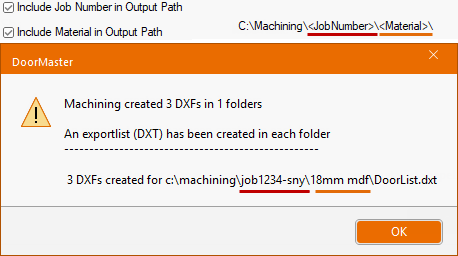
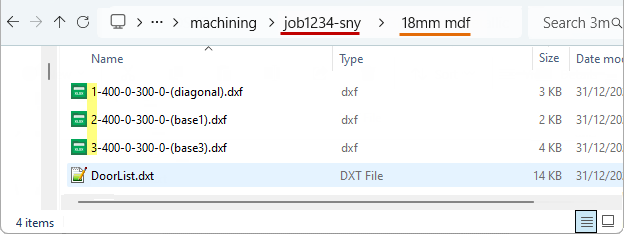
Include Job : ON and Material : ON
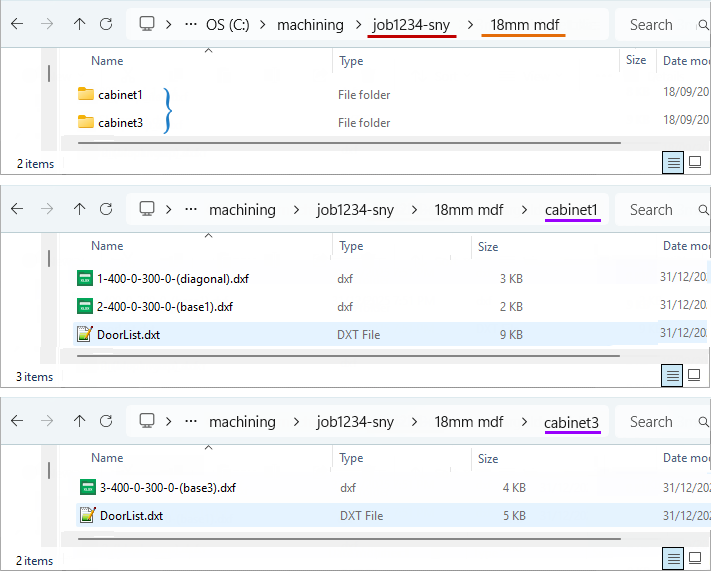
This example shows the user defined part name (e.g. base1) with the ID number appended to it (e.g. 2).
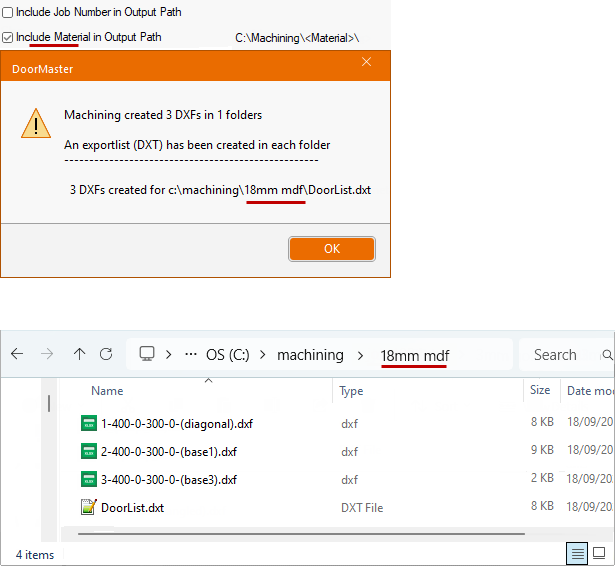
Include Job : OFF and Material: ON
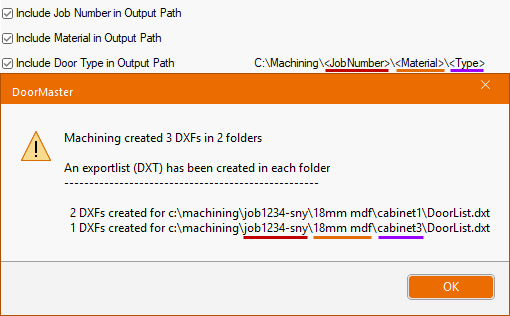
Include Job : ON and Material : ON and Door Type : ON