DoorMaster User Guide
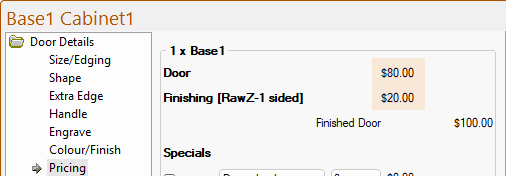
The Door Details > Pricing page at door level is shown when the doors from the catalog are used in a job.
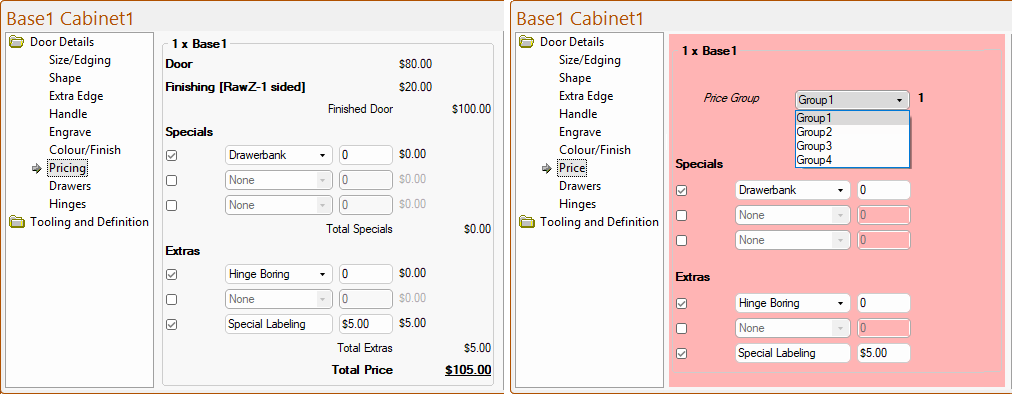
When viewing a door in the Catalog (shown right) the Price page is displayed instead. In terms of setting up the pricing for the door, it is similar to the Pricing page discussed in this topic, but does not show the actual prices. However, remember that if set in the catalog, these will generate as the default values at Drawing level and, unless changed, at Door level e.g. the Use Drawerbank, Use Hinge Boring etc are ticked in the Catalog and is therefore turned on at Door level (shown left). For more on Group, see example below under Base Door Pricing.
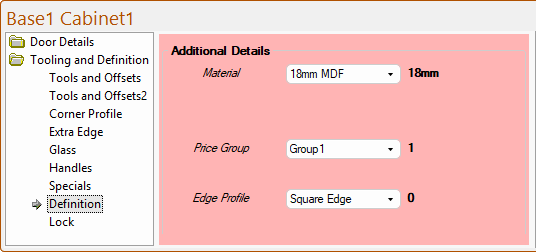
There is also a selection for the Pricing Group on the Tooling and Definition > Definition page - click to view.
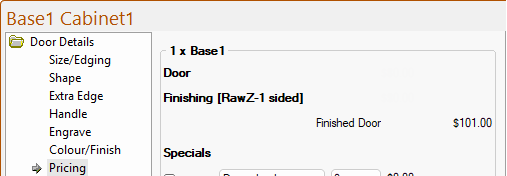
The pricing displayed on the Door Details > Pricing page is dependent on the door's Group, Pricing Schedule and whether the Combine Group/Finish Pricing option is turned On or Off on the My Setup-Pricing > Prices page of the Drawing Properties.

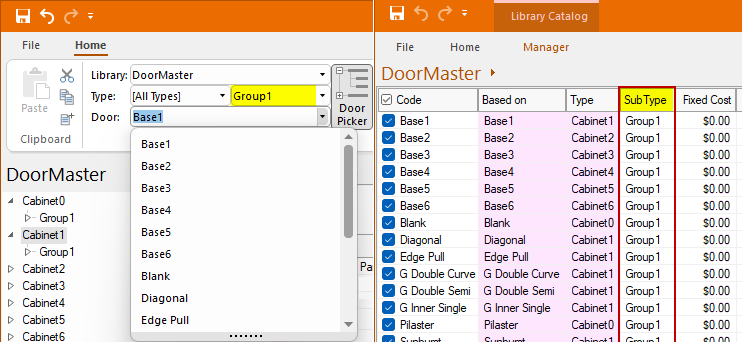
The Base Door pricing is dependent on the door’s Group, as shown above, available Groups are numbered from 1 to 4.
The provided catalog is initially set to Group1 but other Groups can be created - click to view example.
The provided Catalog is initially set to Group1 but this can be changed or, as new user customised doors are created, more Groups can be created.
See the discussion on creating a Custom Range of Doors in the Library Catalog Manager.
The Finishing pricing is based on the Finish and the Number of Sides to be finished.
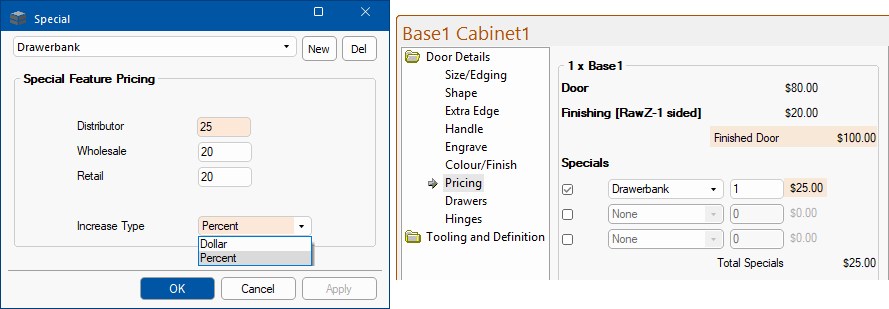
Specials are additional requirements that affect the price either by a Fixed Dollar amount or an additional Percentage of the Finished Door price specified in the Special Features table (see note) multiplied by the quantity specified. An example could be a price allocated to making a set of drawer fronts as a ‘Drawerbank’.
At door level each door can include up to three (3) specials and the Specials pricing is applied to the door as a whole (e.g. Drawerbank). Using the following example, Specials pricing for a Drawerbank is set to 25% of the Finished Door pricing i.e. $100 x 25% x Quantity = $25.00 x 1
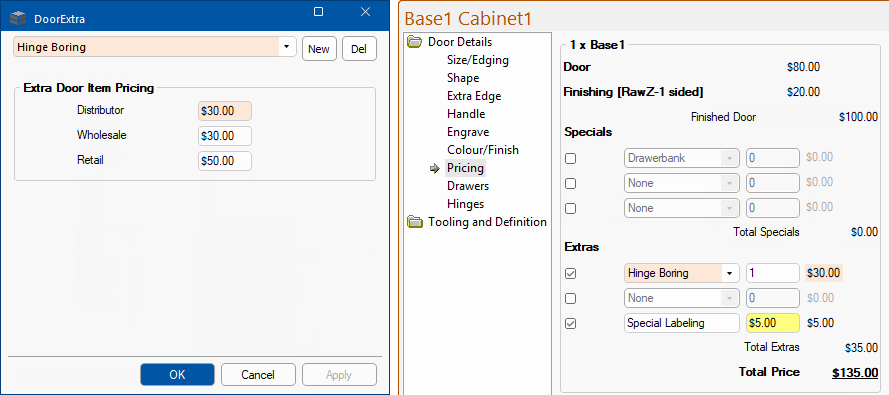
Other extras that are of a fixed price which can either come from the ‘DoorExtra’ lookup table (image below left) lookup table or be manually keyed. These are applied to the door as a whole and each door can include up to three (3) extras.
The first two (2) door details selection can be made using a $$drop list$ which accesses the ‘DoorExtra’ lookup table to define their Description (e.g. Hinge Boring) and Price (based on the Pricing Schedule). The price in the table is multiplied by the quantity specified.
The remaining one is made up of free format fields allowing you to manually type in the Description (e.g. Special Labeling) and Price.