DoorMaster User Guide
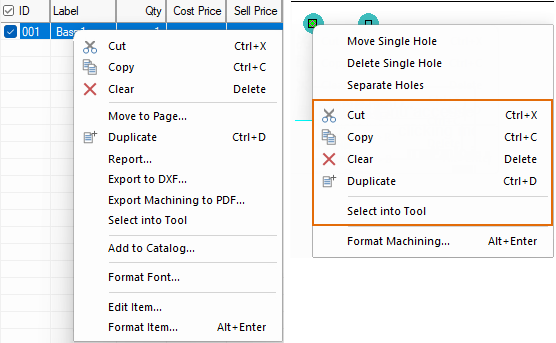
This menu is made available in you right click on a selected item.
|
|
Keyboard Shortcut: Ctrl+X and Ctrl+C respectively.
Keyboard Shortcut: Del
Deletes the current selection.
Moves any selected item(s) to a specific page of the current drawing.
Keyboard Shortcut: Ctrl+D
Creates an exact copy i.e. (Duplicate), of any object and places it on the drawing.
Generate reports for selected item.
Creates a machining DXF file for a selected door.
Creates a pdf report for a selected door, with a page for each machine part.
Example
In this example, a Rectangle door is selected and 'Export to PDF' option used. Click Yes to Launch the PDF viewer.
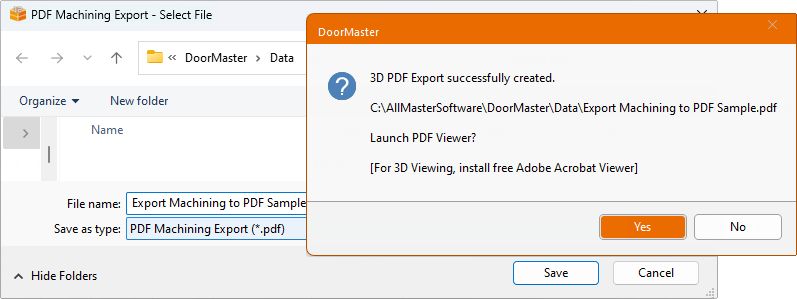
Click to view PDF report generated
The Select into Tool option is used when you have formatted a door and want to place another door with the same characteristics.
Not applicable in List View.
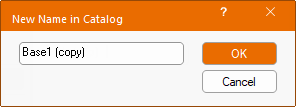
Adds the selected Door to the current catalog. An edit box, as shown below, will allow the Door/item to be renamed.
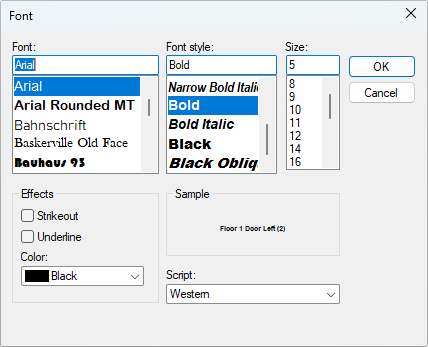
Opens the following options dialog.
This allows you to select the item/door and allows you to breakdown the item/door into its' parts for machine view/editing.
Same as function of drop list on Breadcrumbs Bar.
See Format Door for full discussion.