
DoorMaster User Guide
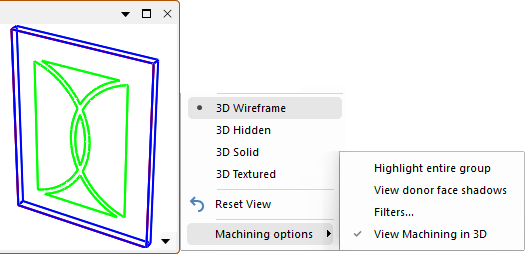
In DoorMaster 3D View is not really meaningful, except when View Machining in 3D is selected in the Preview Pane.
The Mouse Shortcuts can be used to rotate, pan, zoom in/out, or to reset the view.
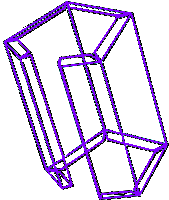

In Wireframe mode, lines are drawn representing the bounding edges of solid sections.
There is no attention paid to hidden edges, which means you can see right through doors. This is the mode that you should use when first generating a 3D image or for checking that the internals of a door look correct. This example shows that you can even see inside the door looking through the base.
Wireframe is the simplest of the 3D view modes and is generated in the shortest amount of time.

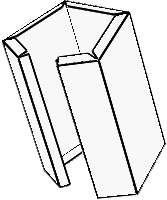
Hidden mode is almost the same as Wireframe, except with the addition of "hidden line removal".
After calculating the wireframe image, it determines which lines would be hidden from the current viewpoint and removes them, giving a more meaningful and easily understood view.
You can see the difference in that the internal detail is missing, however, surface details are still not drawn.

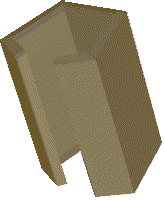
A 3D image rendered in Solid mode is more realistic than either wireframe or hidden because of the addition of coloured faces. Each surface on an object is filled with a single flat colour which gives a good estimate of colour without actually using textures.
The colour applied to each face is typically similar to the colour of the texture that would be on the face, although you can select any colour you like.

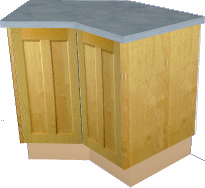
An image generated in Textured mode is almost the same as Solid except with textures added. The bitmaps are applied to the appropriate faces, giving them a very realistic look, depending on the quality of the textures.
In this example, we have used a door as it shows that even the grain direction is displayed.
Performance Note: Many machines ship with OpenGL acceleration turned off by default and in some cases, the manufacturer will leave the standard Microsoft display driver loaded and not even load the correct driver that goes with the hardware supplied which may well support OpenGL. If you are being told that the graphics on your machine is "fast" then query the supplier and check that OpenGL support is loaded and enabled. You should be able to bring up a textured view and pan and zoom without any obvious delays in repainting.
Also, you should check in File > Options [F10] that "Full quality while moving" is checked if your hardware supports OpenGL.